

Reading about cybersecurity concepts is one thing. Responding to a live incident at 4:45 on a Friday afternoon, with a principal researcher walking out the door in 15 minutes, and your DLP console showing 2,400 file accesses in 40 minutes? That’s something else entirely.
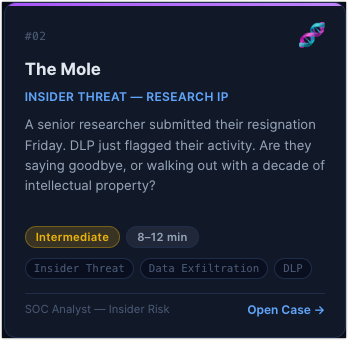
That’s exactly the situation you’ll find yourself in when you play through “The Mole,” one of ten new interactive simulations now live on The Cybersecurity Trail.
What CSTrail Simulations Actually Are
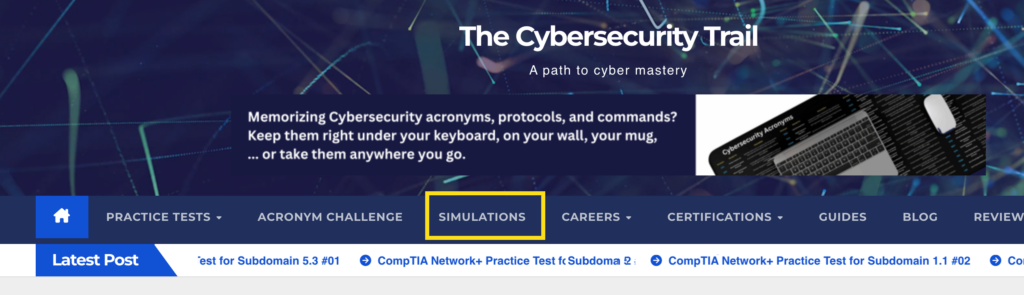
We’ve added a new section to the site called Simulations. You can find it in the main navigation. What you’ll find there isn’t a quiz, a flashcard deck, or a certification prep tool. It’s a series of branching cybersecurity incident scenarios where you play the role of an analyst, and every decision you make has consequences.
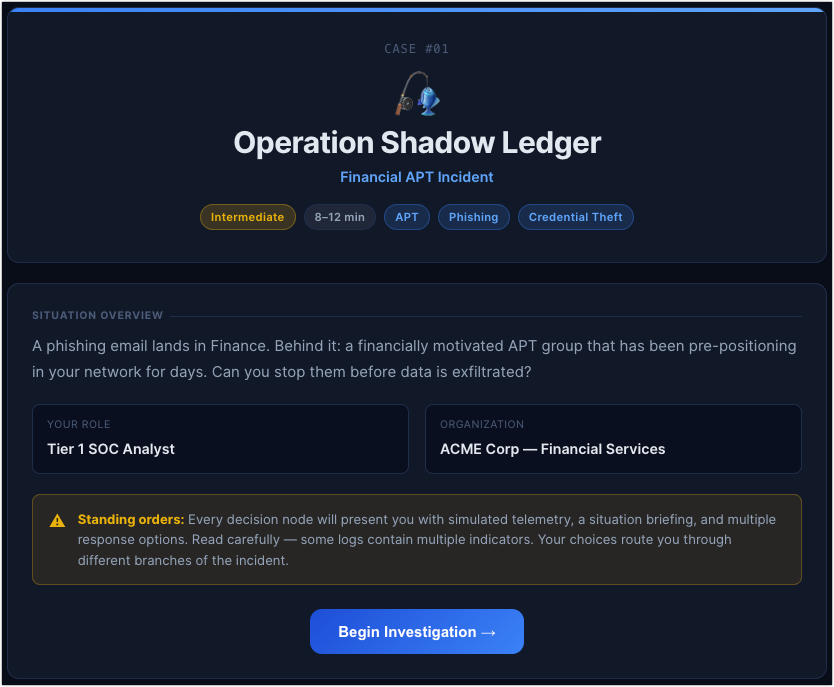
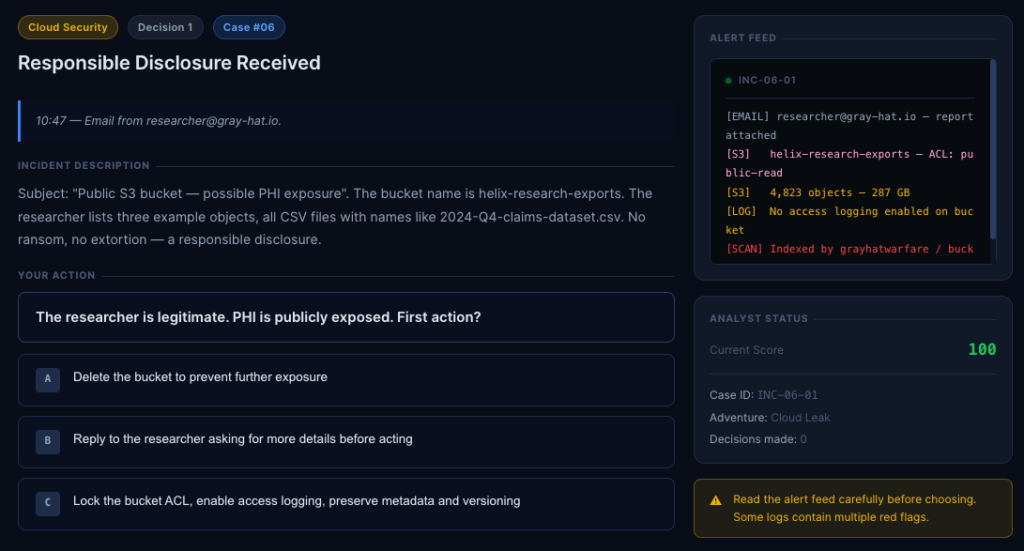
The format is simple. Each case drops you into a real-world incident scenario, shows you simulated telemetry (DLP alerts, firewall events, EDR logs, badge access records), and asks you to act. You have multiple response options, and the path you take determines where the story goes next. Some choices are optimal. Some are acceptable. Some will cost you points. And if your score drops below 30, the incident escalates beyond your ability to contain it—game over.
There are ten cases in the library right now, ranging from beginner to advanced. The scenarios cover incident types that actually show up in SOC environments: financial APT intrusions, insider threats and data exfiltration, supply chain compromises, ransomware, cloud exposure, web application breaches, and more.
Why We Built This
If you’ve used this site to prep for a CompTIA Security+ certification, you’ve seen how much ground practice tests can cover. But multiple-choice questions can only take you so far. They test what you know. They don’t test what you’d do.
There’s a meaningful difference between knowing that you should “preserve forensic evidence before reimaging a system” and actually making that call in the middle of a simulated incident where HR is panicking, Legal just got involved, and your only window to collect evidence is closing fast.
Security practitioners learn by doing. Red team exercises, tabletop drills, CTFs. These are training formats that stick because they put you in a situation and force you to think. CybersecurityTrail Simulations is our simplified version of that, accessible through a browser, with no setup required.
A Quick Look at the Case Library

The ten cases span a range of roles and scenarios. For example:
Operation Shadow Ledger puts you in the middle of a financially motivated APT incident that’s been quietly pre-positioning in your network for days. A phishing email in Finance was just the entry point.
The Mole (shown in the screenshot earlier) is an insider threat scenario at a pharma R&D company. A senior researcher’s last day is today. DLP just flagged mass file access across restricted research projects. You have 15 minutes to act before he’s out the door.
Supply Chain Ghost involves a routine software update that’s been deployed to 340 endpoints. Something starts beaconing out to an unknown server four hours later. The vendor is signed and trusted. Or at least it was.
Midnight Lockdown starts with a 3 a.m. call from a hospital nurse whose workstation is showing a ransom note. Within minutes, you realize it’s not just her machine.
Cloud Leak is a public S3 exposure scenario with PHI potentially at risk, involving a security researcher who just emailed your security inbox.
Each case runs about 3 decision points deep, with simulated log data in an alert feed panel, a live score tracker, and multiple possible endings: victory, partial success, breach, or catastrophic failure.
Who This Is For
If you’re studying for your CompTIA Security+ or CEH, the Simulations section will give you applied context that complements everything you’re reading in the guides and practice tests. Concepts like DLP, EDR, chain of custody, and incident escalation procedures take on a different shape when you’re making real-time decisions with them rather than selecting answers on a screen.
If you’re already working in a SOC or a security operations role, the cases are designed to be realistic enough to be worth your time. Some of the decision-point logic is intentionally nuanced, and the log data in each alert feed is there for a reason. The system tells you upfront to read it carefully because some logs contain multiple red flags.
And if you’re just curious about what a SOC analyst’s work actually looks like, the Simulations are probably the most direct window into that we’ve ever put on this site.
Go Try It
A quick note before you dive in: this feature is still a work in progress. The cases are playable, but we’re continuing to add depth, refine the branching logic, and expand the scenario library over time. Think of what’s live now as an early version. It’s solid enough to be useful, but not the finished product.
You’ll find Simulations in the main navigation bar. Start anywhere in the case library. Each scenario is self-contained. A full run takes between 7 and 14 minutes, depending on the case.
If you’ve been following the site for the CompTIA content, this is something new and worth checking out. We’d love to hear what you think and what kinds of scenarios you’d want to see added. Leave your comment below.